MFLab > Memora
Memora (Re-Moment)
Select language: English | 한국어 | 日本語 | 简体中文 | Español | Français | Português | हिन्दी | বাংলা | العربية






Memora, subtitled Re-Moment, is a local-first iPhone and iPad app that analyzes a user’s Photos library and turns related moments into short memory-story videos. The app focuses on private photo indexing, reviewable recommendations, editable story drafts, and on-device rendering. Pro Vision AI is an optional paid acceleration path for higher-quality captions and faster remote-assisted indexing.
Support inquiries can be sent from the web form at https://lab.missflash.com/memora/support.html.
View the full public changelog.
📑 Table of Contents
- 📱 App Screenshots
- ✨ Core Features
- ❓ FAQ
- 📌 Important Notes
- 🛠 Technology Stack
- 📜 Policies and Licensing
- 📄 License
📱 App Screenshots
| Screenshot | Screenshot | Screenshot | Screenshot | Screenshot |
|---|---|---|---|---|
 |
 |
 |
 |
 |
 |
 |
 |
 |
 |
✨ Core Features
Smart Story Recommendations
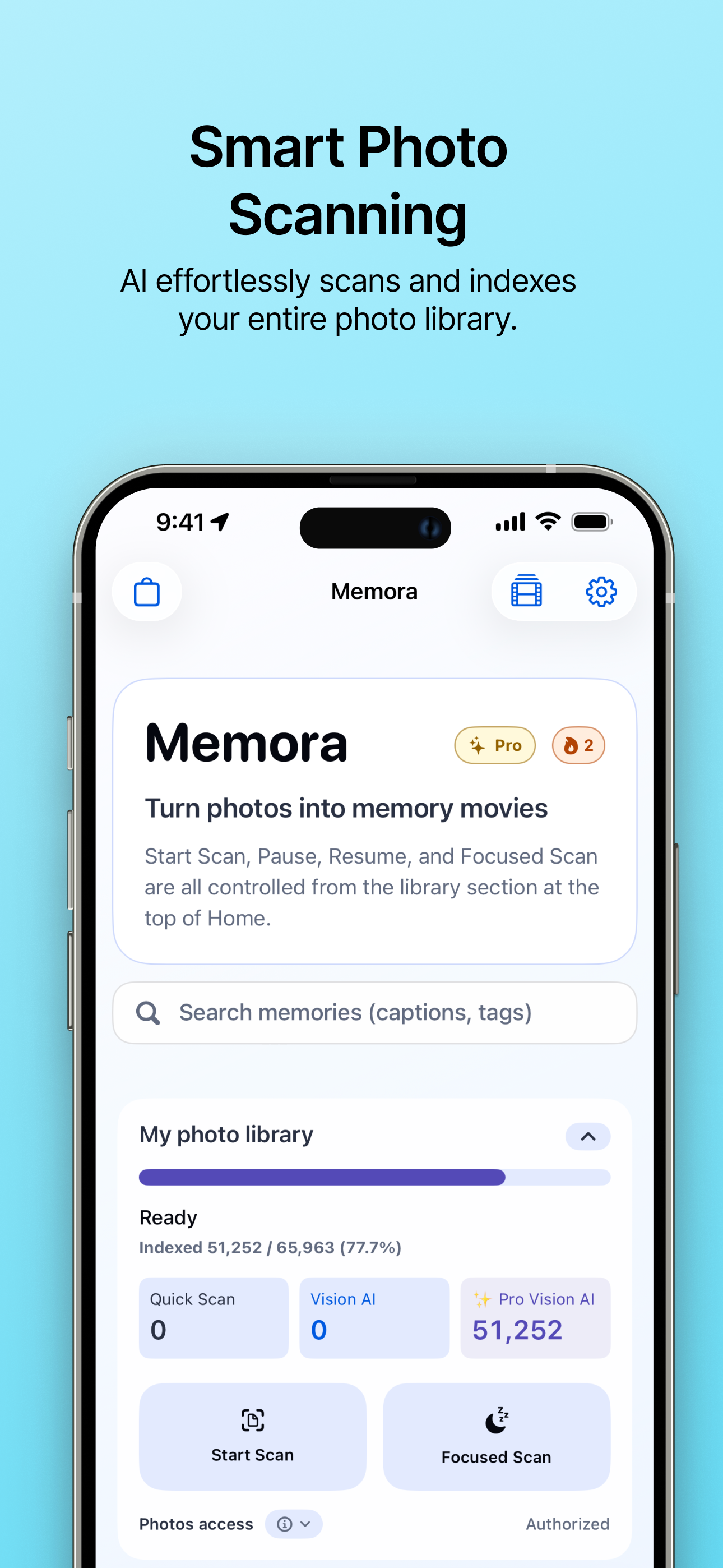
- Photo library indexing: Memora reads the user’s selected Photos library with PhotoKit and extracts date, location, favorite, media type, quality, face-count, scene, and caption signals.
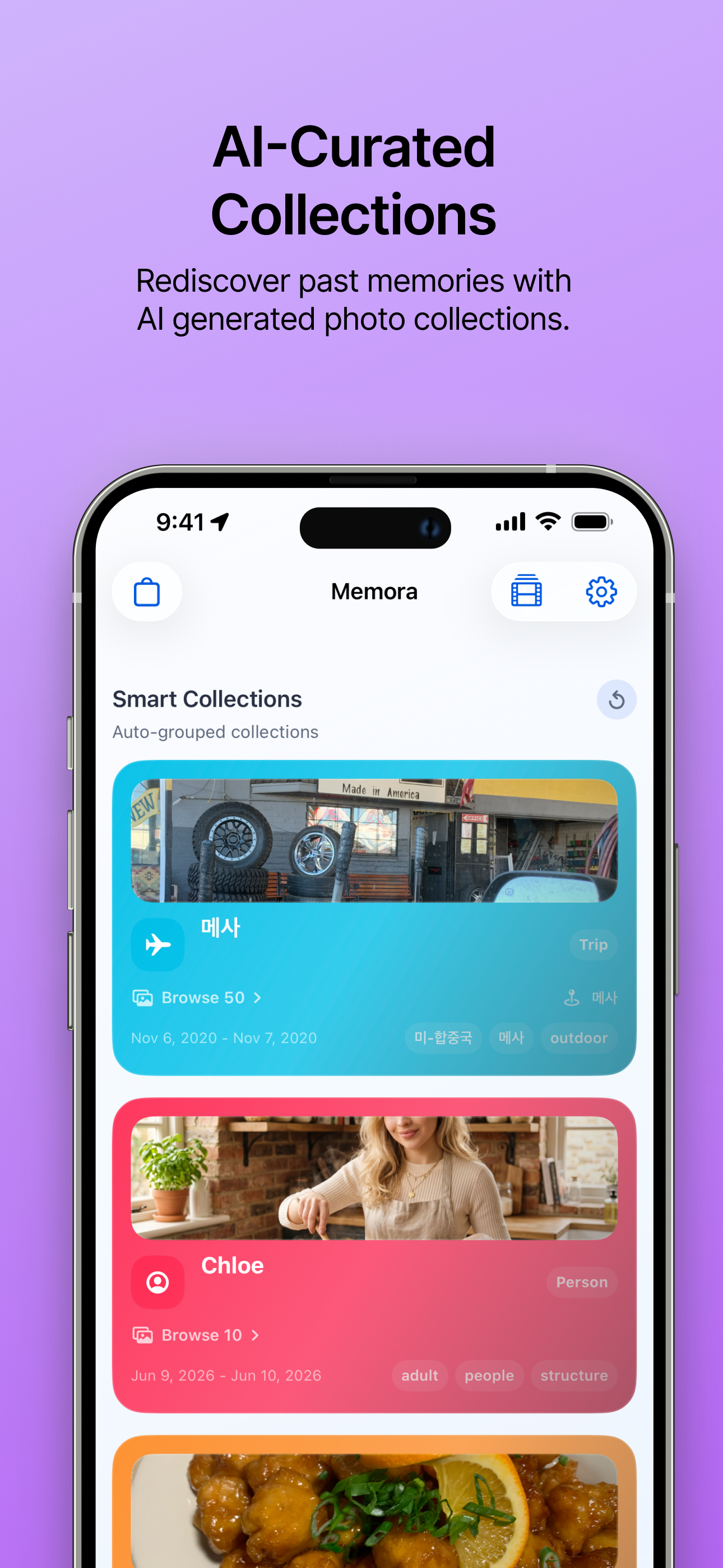
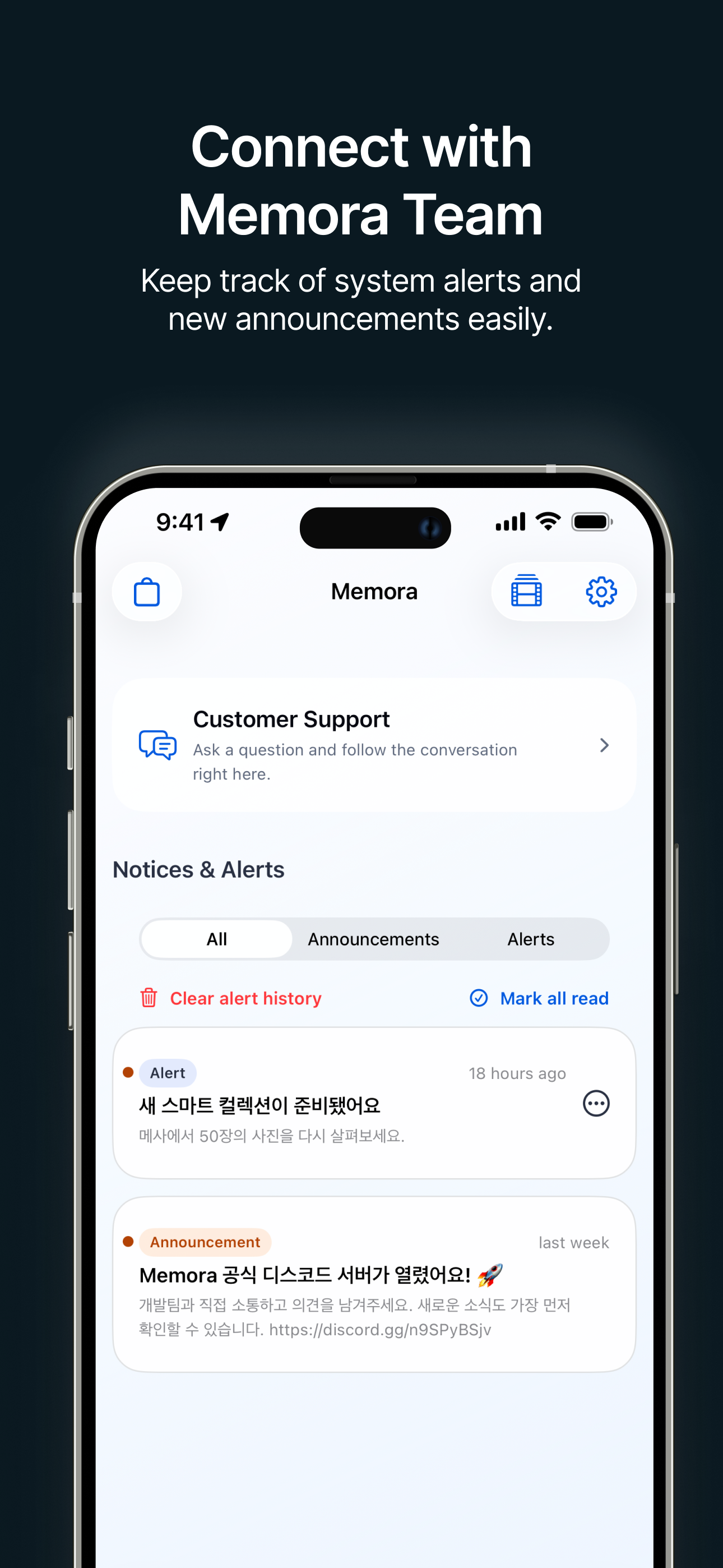
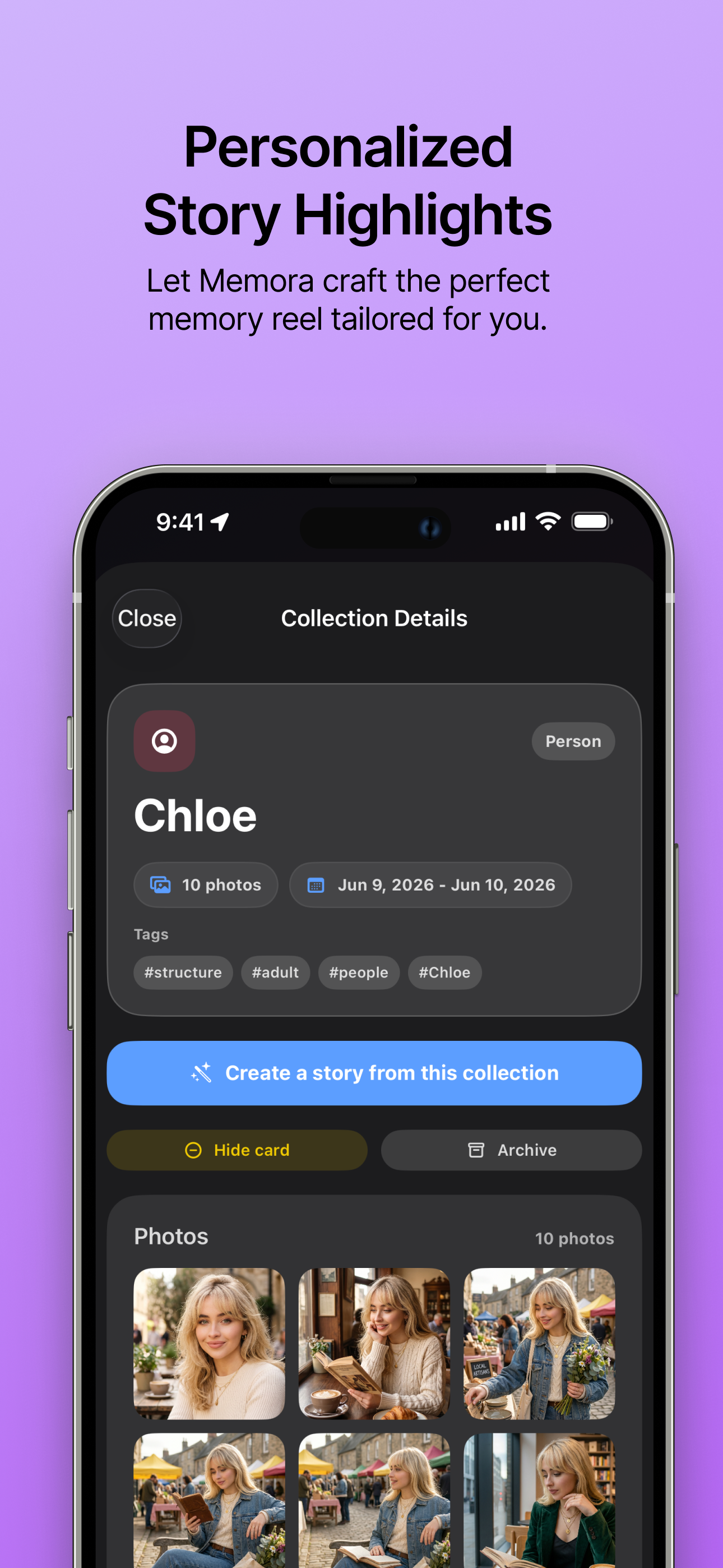
- Recommendation cards: The app builds story candidates such as same-person moments, similar backdrops, food collections, seasonal memories, city/trip views, time snapshots, meaningful moments, and video highlights.
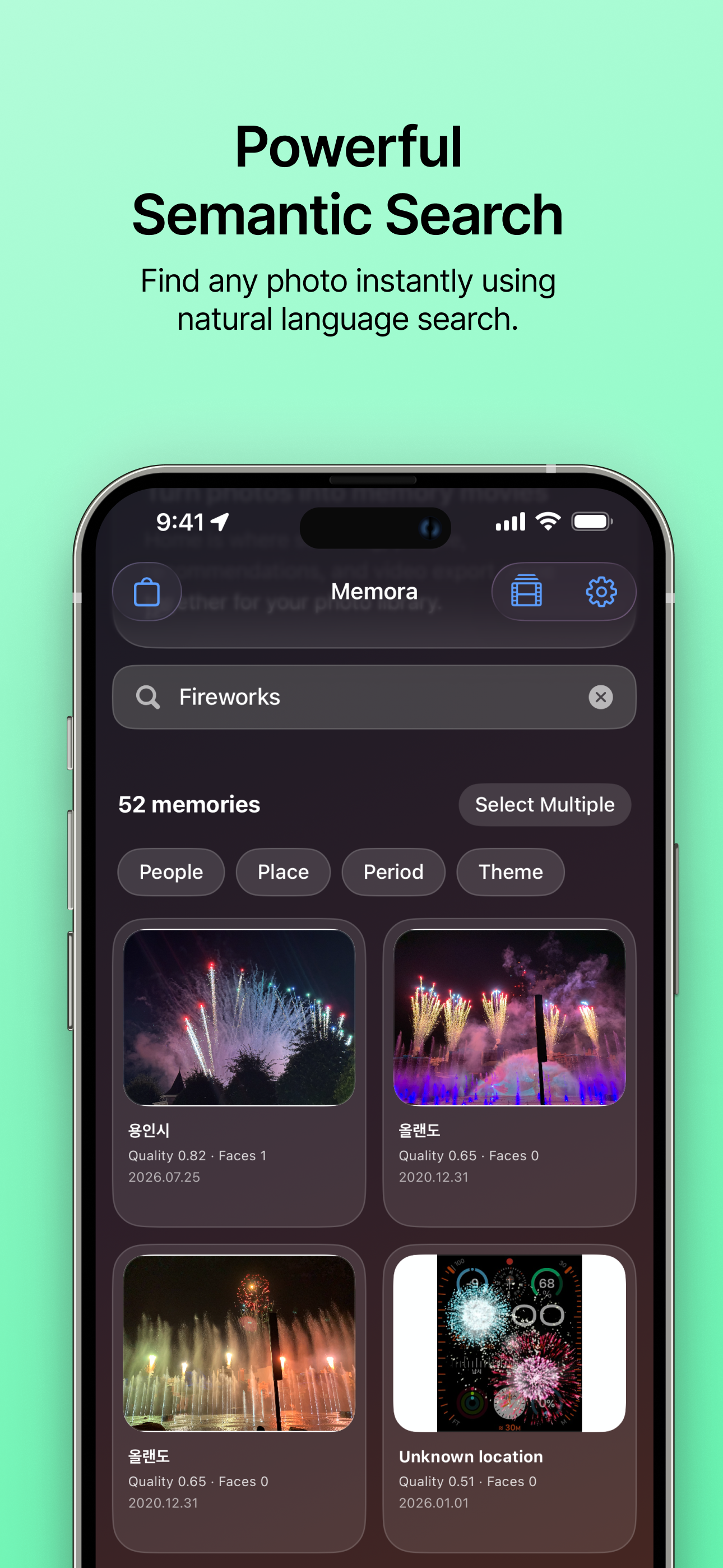
- Search and maintenance: Indexed photos can be searched locally, and the app includes maintenance actions for translation backfill, consistency repair, recommendation feedback reset, and indexing recovery.
- Scan Priority Settings: Adjust the indexing scan priority directly from the app preferences.
- Quick Scan Mode: A faster, rule-based scanning option for quick results.
- Appearance Mode Settings: Customize your app experience with new Appearance Mode options (System, Light, Dark) for comfortable viewing in any environment.
Reviewable Memory Stories
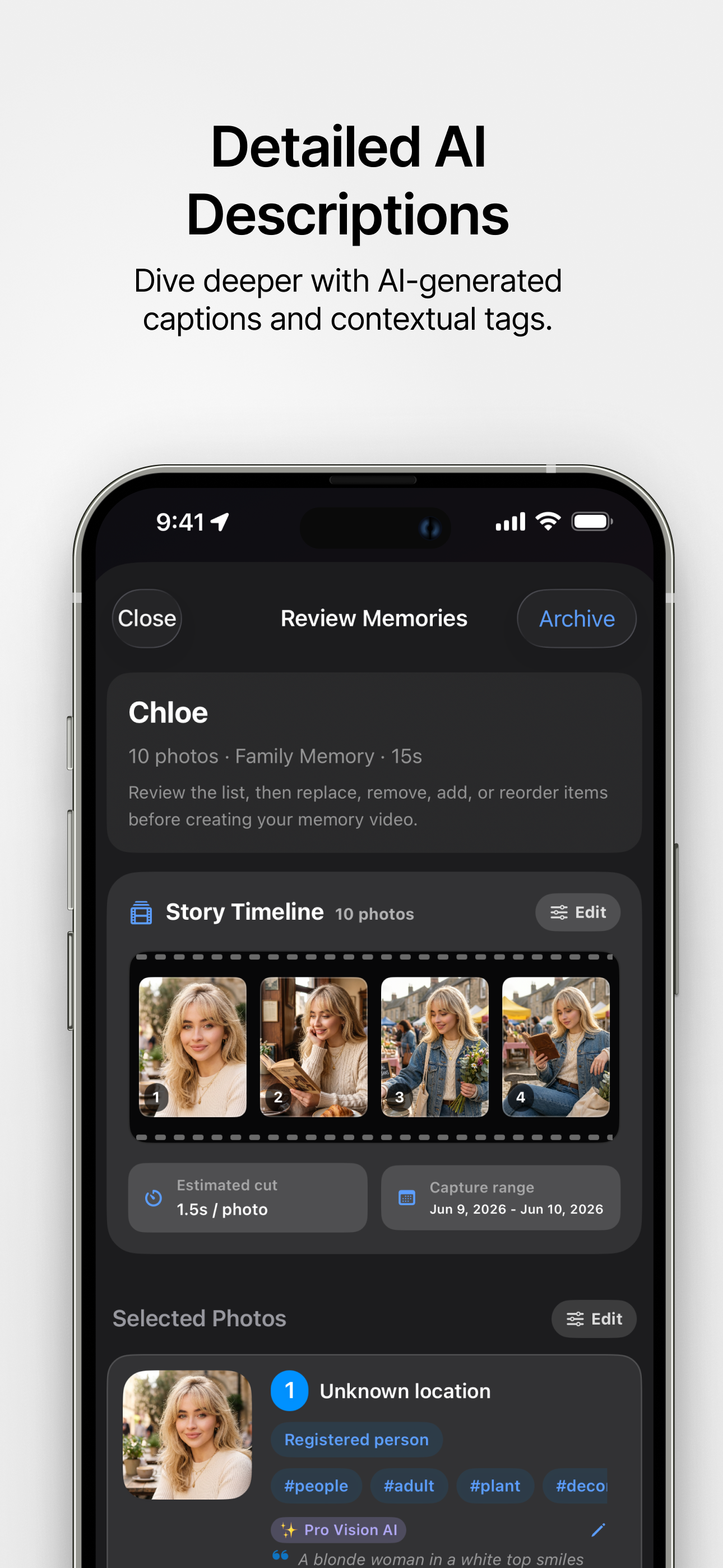
- Story review: Users can inspect a suggested story before rendering, replace or remove selected photos using full-screen previews and search, add more candidates, reorder assets, and register representative people from face-rich photos.
- Story review timeline preview: See exactly how your video will be paced before rendering with the new timeline preview.
- Feedback controls: Users can archive generated stories, hide a specific recommendation, hide similar recommendation types, and undo recent feedback.
- Empty state & feedback summaries: Better visibility into your hidden recommendations and a smoother experience when there are no stories to show.
- People support: Registered person profiles can be used to build person-focused stories and improve future recommendations.
- Person management: Select representative faces for people and effortlessly merge photos into existing person profiles for better organization.
Local-First Vision and Storage
- On-device default: Standard indexing and fallback captions use local PhotoKit, Vision, and metadata-based analysis. Photos are not sent to the server unless the user enables and uses Pro Vision AI.
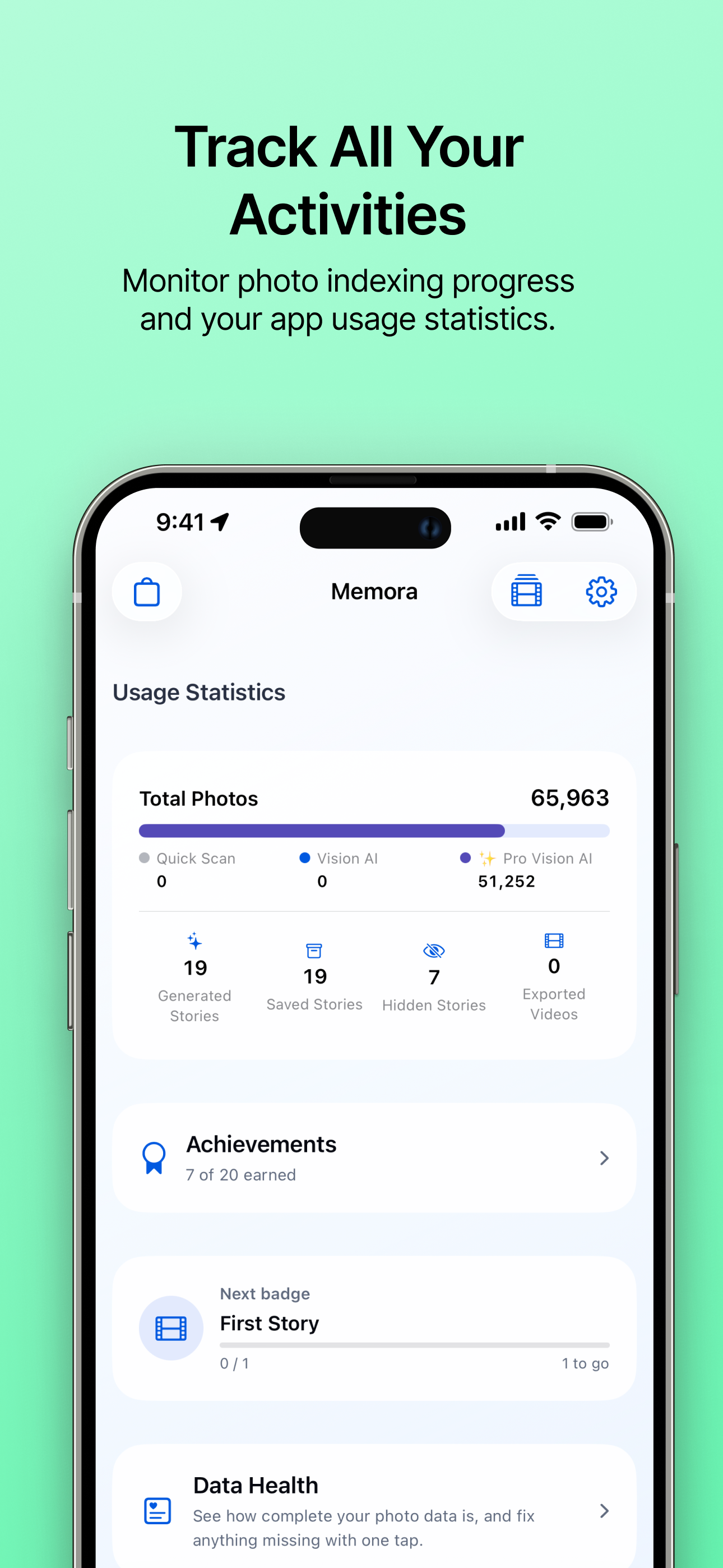
- Optional usage statistics: From version 1.1.5, sharing defaults to on except in the EU/EEA and UK, where it defaults to off. Your saved choice is respected. You can change it in Activity → Usage Statistics. When sharing is on, Memora sends aggregate funnel milestones and numeric feature-use totals with app context, a hashed installation ID, and—when available—a backend account ID. Hashing does not make these records fully anonymous. Turning sharing off stops transmission and requests server-side deletion. Photos, captions, locations, face data, search terms, and story titles are never included. See the Privacy Policy.
- Local database: Memora stores indexes, stories, render jobs, preferences, checkpoints, and person profiles strictly locally in the app sandbox with SwiftData.
- Diagnostics: MetricKit diagnostics are used for crash, hang, launch, CPU, and disk-write troubleshooting. These diagnostics do not include the user’s photo files.
- Enhanced AI Download UI: Byte-level progress tracking and stall detection for on-device Vision AI model downloads, so you know right away when a large download stops making progress.
- Dynamic Vision AI Model Manifests: Backend-driven updates for on-device MLX model configurations.
- On-Device Vision AI Stability: Captioning adapts to your device’s memory, thermal, and power state, and automatically falls back to Quick Scan if a problem is detected — preventing hangs and crashes on the device.
Pro Vision AI
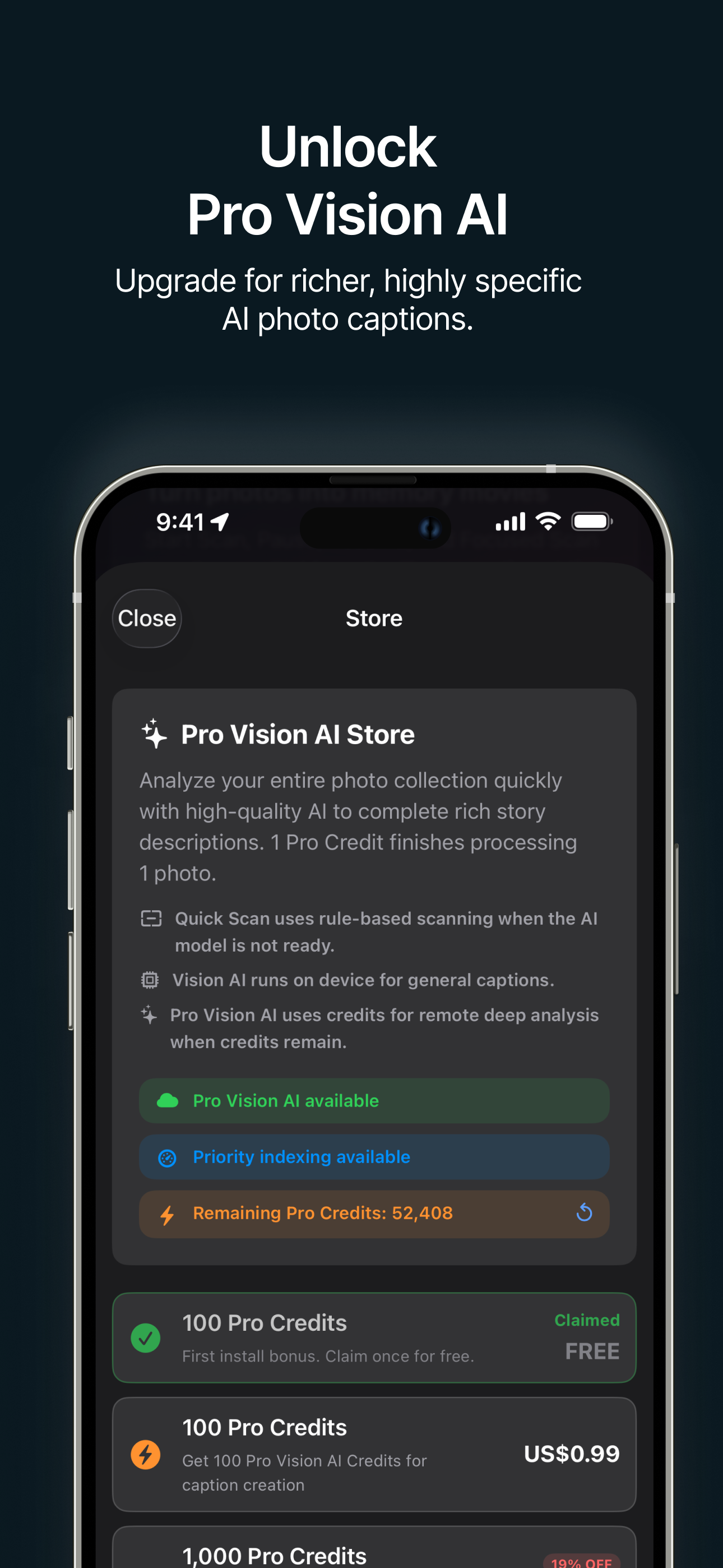
- Optional paid feature: Pro Vision AI uses a server-side proxy for enhanced VLM captioning and remote indexing quota enforcement. When quota is unavailable or the server cannot be reached, the app remains usable with standard local Vision AI.
- Server-side control: The backend verifies StoreKit entitlement state, issues short-lived access tokens, enforces quota, protects provider API keys, applies idempotency, and tracks abuse signals.
- Image handling: Image payloads are forwarded only for the requested captioning operation. The service is designed not to store original image bytes for product use or AI training. Operational records such as sanitized request metadata, provider response text, request status, quota counters, device hashes, and error information may be retained for entitlement, quota, debugging, security, and abuse-prevention purposes.
Video Rendering and Saving
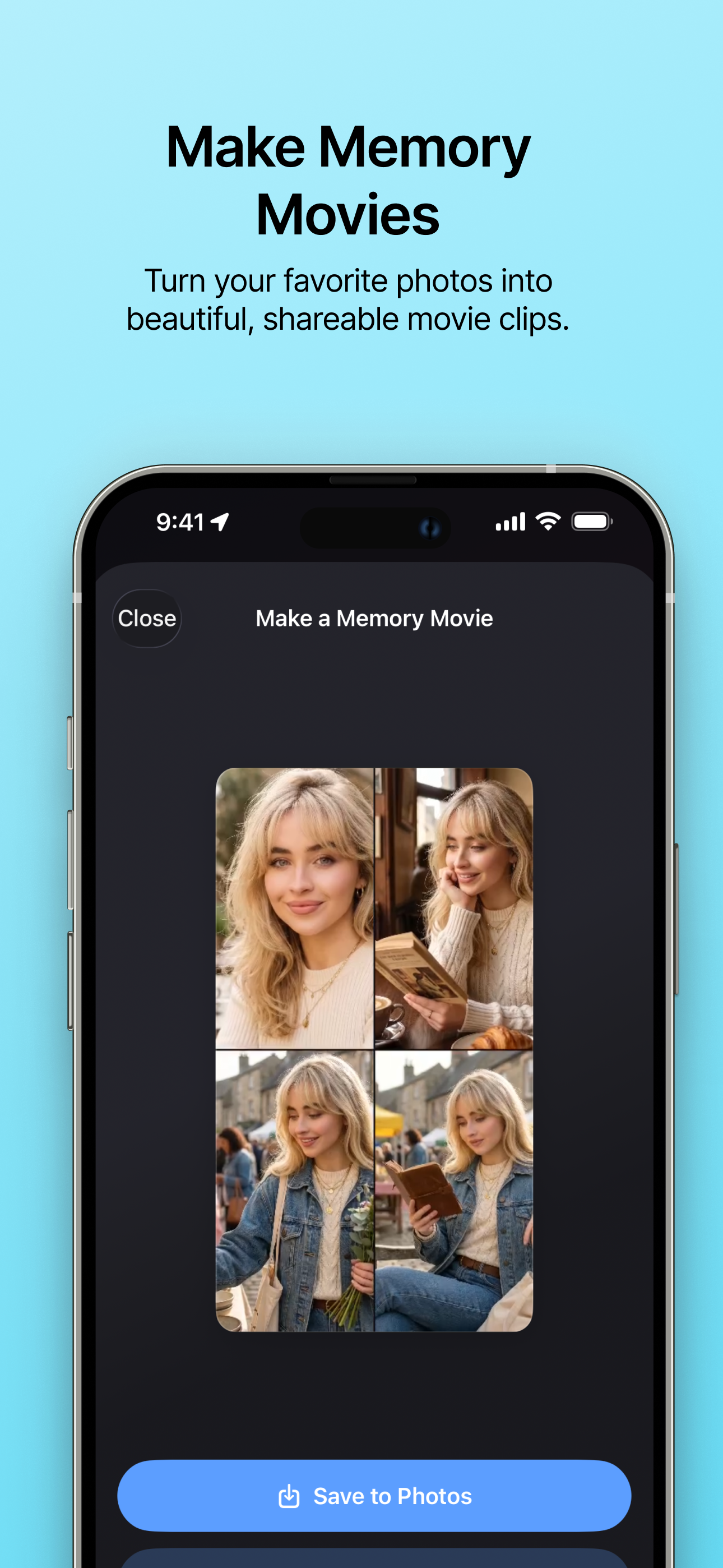
- Native renderer: Memory stories are rendered with AVFoundation from cached photo assets at a 30fps target by default, with motion and transition effects such as dissolve, slide, wipe, and zoom-style movement.
- Photos export: Before rendering, Memora prepares local copies of iCloud-only assets when needed. Rendered videos are saved back to Photos using add-only permission and Photos-compatible MOV fallback handling.
- Progress and cancellation: Download, render, save, failure, cancellation, and recovery states are shown in the app.
- AI-generated built-in music: Some selectable background tracks were generated with Google Gemini/Lyria. They may be included and shared only as part of a video rendered by Memora, subject to the Terms of Service.
Engagement & Accessibility
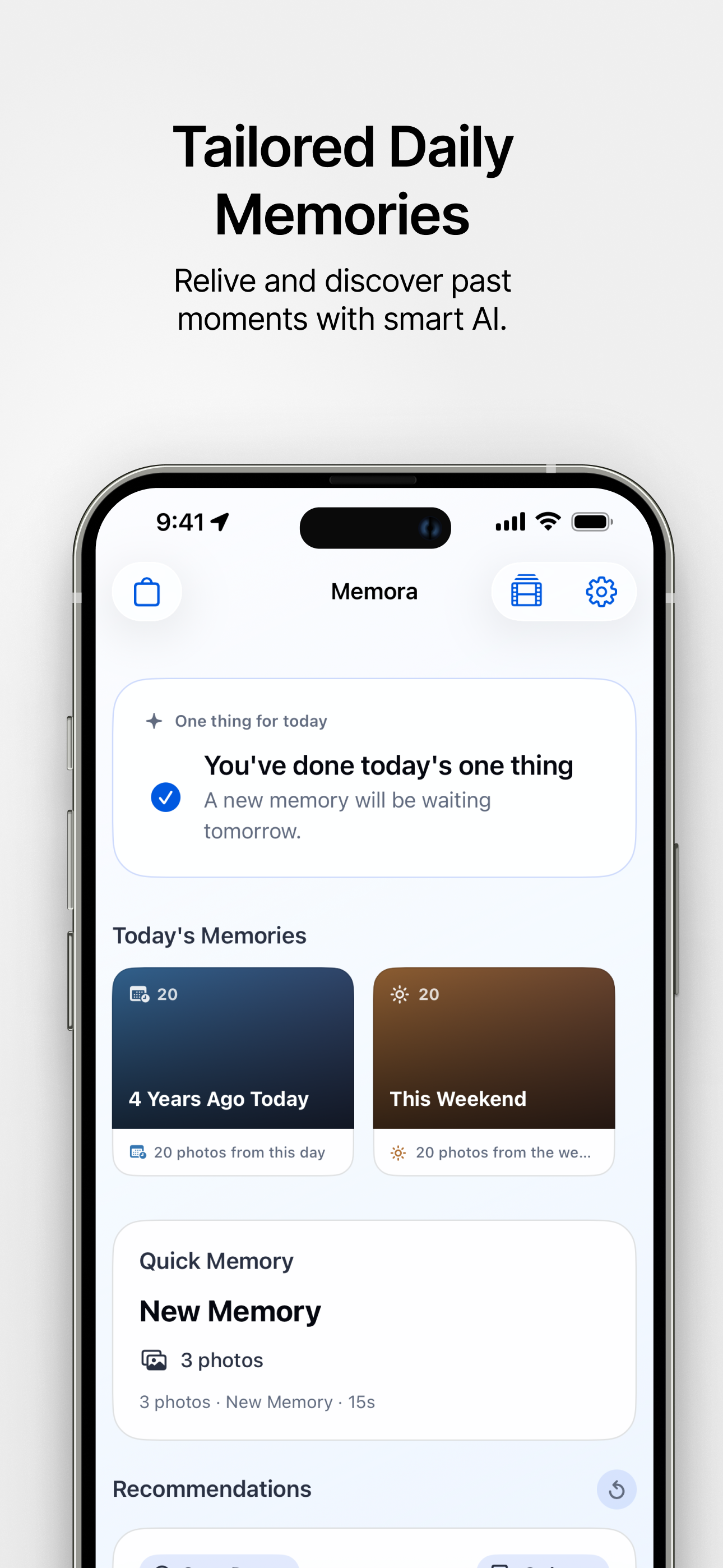
- Daily Quests & Streaks: Complete daily memory tasks, track your participation streaks, and unlock thematic achievement badges.
- Home Screen Widgets: Keep track of your streaks directly from your home screen with the new streak widget.
- Monthly Recaps: Enjoy a personalized monthly recap notification and feed to review your best moments.
- Accessibility Enhancements: Improved support for Dynamic Type, Reduce Motion, and VoiceOver for a comfortable experience.
- User-Editable Captions: Edit AI-generated captions manually, with the ability to revert to the AI default anytime.
- In-App Support & Error Handling: Contact support directly within the app and enjoy clearer, standardized error recovery flows.
Latest Updates
- Improved photo map responsiveness and marker accuracy by tracking scroll gestures and momentum in the photo sheet, and refined map touch targeting for heat clusters near screen edges.
- Centered photo map markers above the photo sheet when reopening the list, and refined marker positioning during sheet transitions to keep selected locations fully visible.
- Eliminated visual flickering in the photo map widget during photo updates and app switching with seamless background refreshing and responsive photo library permission tracking.
- Added batch selection and deletion support for exported videos, and streamlined settings navigation.
- Improved photo map accuracy and updated the photo list to keep all visible photos accessible when selecting a location on the map.
❓ FAQ
-
Why is indexing so slow? Memora operates in Standard and Pro modes. Standard mode uses the AI model directly on your device, which can take a long time due to the nature of on-device processing. For significantly faster indexing and higher-quality captions, you can purchase the Pro Vision AI subscription in the store.
-
Are my photos saved on a server? No, your photos are never saved on our servers. In Standard mode, everything happens locally on your device. Even when using Pro Vision AI, images are only sent to the server momentarily for processing, discarded immediately afterward, and are never stored or used for AI training.
-
Do I have to buy something to use the app? No, the core features of Memora are completely free. You can use Standard mode to index your photos and create stories without paying anything. Pro Vision AI is an optional paid feature for users who want faster processing and richer image captions.
-
Why is indexing still slow even with Pro? This might be a background connection issue. Please force-close the app (swipe up in the app switcher) and reopen it. Also, since Pro mode requires communication with our servers, please ensure you have a stable internet connection.
-
Can I back up my data? Yes. You can export a backup of your indexes, stories, and preferences to a file by using the “Settings > Backup & Restore > Database Backup” feature in Memora. You can save this file locally or to any file storage. (Note: this backs up app data, not your original photo files.)
-
Can I restore my backed-up data? Yes. You can restore your data from a previously exported backup file by using the “Settings > Backup & Restore > Database Restore” feature in Memora.
-
Why does the screen go dark during photo indexing? Indexing only proceeds while the screen is on. To save battery and prevent screen burn-in, Memora automatically drops the screen brightness to its minimum after 5 minutes of continuous indexing. We strongly recommend connecting your device to power during long indexing sessions.
-
Is the screen too bright at night? You can manually lower your device’s brightness or use Dark Mode. If you leave the app indexing, Memora will automatically dim the screen for you after 5 minutes.
-
Does the screen get too dark during the day? You can manually increase the device’s brightness or disable Dark Mode. Memora intentionally dims the screen after 5 minutes of indexing to save battery. If you need to check the screen, simply tap it or adjust the brightness manually via the Control Center.
-
Does the device feel hot during indexing? Standard mode heavily utilizes your device’s processor and Neural Engine, which naturally causes it to warm up. Pro mode offloads the heavy computation to our servers, significantly reducing device heat and battery drain. If the heat is uncomfortable, consider pausing indexing, plugging in your device, or upgrading to Pro Vision AI for a cooler, faster experience.
📌 Important Notes
- Memora requires Photos read access to index and recommend stories. Limited Photos access is supported, but full access provides the intended experience.
- Saving rendered videos requires Photos add-only permission.
- Pro Vision AI temporarily sends selected images to the backend and configured VLM provider to generate caption data. However, rest assured that all photos are immediately deleted after the captions are generated without being stored.
- AI-generated captions and recommendations can be inaccurate. Review story contents before rendering or sharing.
- Built-in AI-generated music is non-exclusive. Exclusive copyright and freedom from third-party claims are not guaranteed; standalone extraction or redistribution is not permitted.
- Product names, quotas, prices, and platform availability may change before or after App Store release.
🛠 Technology Stack
Client
- Swift 6, SwiftUI, SwiftData
- PhotoKit, Vision, AVFoundation, MetricKit
- MLX Swift LM / MLX VLM-related packages, Swift HuggingFace, Swift Transformers
Server
- FastAPI, Uvicorn, Starlette
- PostgreSQL, SQLAlchemy, Alembic, Psycopg 3
- Pydantic, Pydantic Settings, HTTPX
- PyJWT and cryptography for StoreKit and token verification paths
📜 Policies and Licensing
📄 License
Copyright © 2026 MFLab-AI (https://lab.missflash.com/). All rights reserved.
Memora’s source code, assets, branding, documentation, and related materials are proprietary unless a separate written license says otherwise. Third-party open-source components remain governed by their own licenses.