Select language: English | 한국어 | 日本語 | 简体中文 | Español | Français | Português | हिन्दी | বাংলা | العربية
Memora, subtitled Re-Moment, is a local-first iPhone and iPad app that analyzes a user’s Photos library and turns related moments into short memory-story videos. The app focuses on private photo indexing, reviewable recommendations, editable story drafts, and on-device rendering. Pro Vision AI is an optional paid acceleration path for higher-quality captions and faster remote-assisted indexing.
Support inquiries can be sent from the web form at https://lab.missflash.com/support.html.
| Screenshot | Screenshot | Screenshot | Screenshot | Screenshot |
|---|---|---|---|---|
![]() |
![]() |
![]() |
![]() |
![]() |
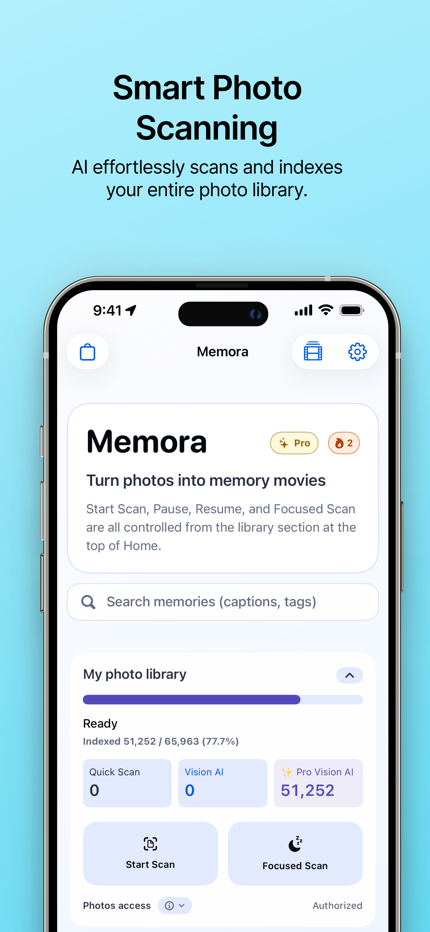
| Smart Photo Scanning AI effortlessly scans and indexes your entire photo library. |
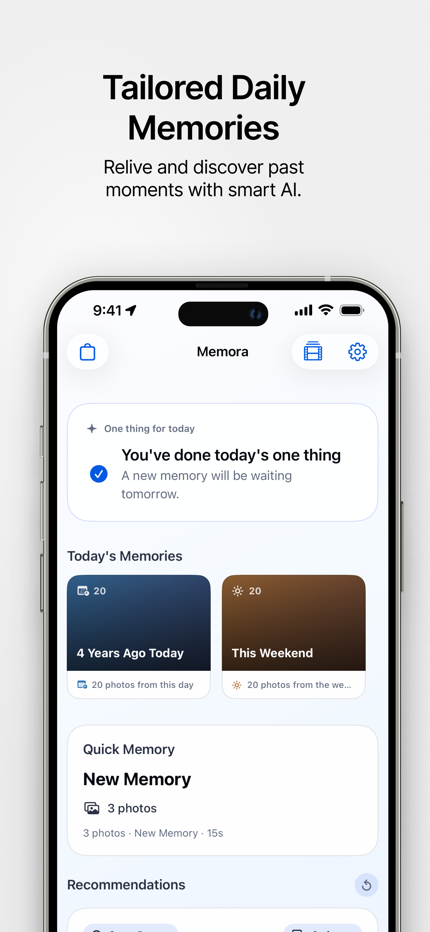
AI-Curated Collections Rediscover past memories with automatically generated photo collections. |
Connect Memories Across Time Relive your life through intelligent themes like past birthdays. |
Dive Deeper with AI Dive deeper with AI-generated captions and contextual tags. |
Organize by People Easily organize your photos by the people who matter most. |
![]() |
![]() |
![]() |
![]() |
![]() |
| Instant Photo Search Find any photo instantly using natural language search. |
Pro Vision AI Upgrade for richer, highly specific AI photo captions. |
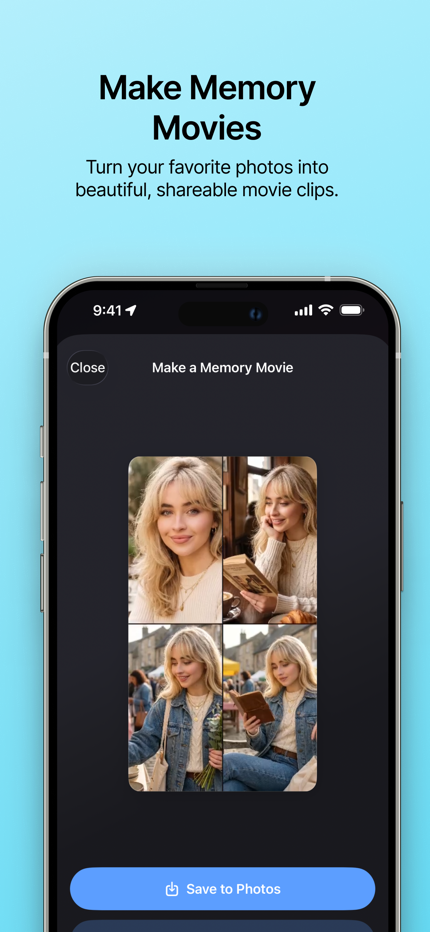
Personalized Highlights Let Memora craft the perfect memory reel tailored for you. |
Custom Gallery Editing Easily edit collections to match how you want to remember them. |
Settings & Stats Tailor app settings and track your photo indexing progress. |
Why is indexing so slow? Memora operates in Standard and Pro modes. Standard mode uses the AI model directly on your device, which can take a long time due to the nature of on-device processing. For significantly faster indexing and higher-quality captions, you can purchase the Pro Vision AI subscription in the store.
Are my photos saved on a server? No, your photos are never saved on our servers. In Standard mode, everything happens locally on your device. Even when using Pro Vision AI, images are only sent to the server momentarily for processing, discarded immediately afterward, and are never stored or used for AI training.
Do I have to buy something to use the app? No, the core features of Memora are completely free. You can use Standard mode to index your photos and create stories without paying anything. Pro Vision AI is an optional paid feature for users who want faster processing and richer image captions.
Why is indexing still slow even with Pro? This might be a background connection issue. Please force-close the app (swipe up in the app switcher) and reopen it. Also, since Pro mode requires communication with our servers, please ensure you have a stable internet connection.
Can I back up my data? Yes. You can export a backup of your indexes, stories, and preferences to a file by using the “Settings > Backup & Restore > Database Backup” feature in Memora. You can save this file locally or to any file storage. (Note: this backs up app data, not your original photo files.)
Can I restore my backed-up data? Yes. You can restore your data from a previously exported backup file by using the “Settings > Backup & Restore > Database Restore” feature in Memora.
Why does the screen go dark during photo indexing? Indexing only proceeds while the screen is on. To save battery and prevent screen burn-in, Memora automatically drops the screen brightness to its minimum after 5 minutes of continuous indexing. We strongly recommend connecting your device to power during long indexing sessions.
Is the screen too bright at night? You can manually lower your device’s brightness or use Dark Mode. If you leave the app indexing, Memora will automatically dim the screen for you after 5 minutes.
Does the screen get too dark during the day? You can manually increase the device’s brightness or disable Dark Mode. Memora intentionally dims the screen after 5 minutes of indexing to save battery. If you need to check the screen, simply tap it or adjust the brightness manually via the Control Center.
Does the device feel hot during indexing? Standard mode heavily utilizes your device’s processor and Neural Engine, which naturally causes it to warm up. Pro mode offloads the heavy computation to our servers, significantly reducing device heat and battery drain. If the heat is uncomfortable, consider pausing indexing, plugging in your device, or upgrading to Pro Vision AI for a cooler, faster experience.
Copyright © 2026 MFLab-AI (https://lab.missflash.com/). All rights reserved.
Memora’s source code, assets, branding, documentation, and related materials are proprietary unless a separate written license says otherwise. Third-party open-source components remain governed by their own licenses.