MFLab · Native iOS & macOS tools

Your records.
A new home on iPhone & Mac.

Meet List Studio. Open, search and edit your ListPro CLF files in a native workspace across iPhone, iPad, and Mac. Keep the outline you know, and give your archive room to grow.

iPhone · iPad · Mac (Apple Silicon) · iOS 18+ · macOS 14+

Available only on the App Store. Keep a backup before editing.

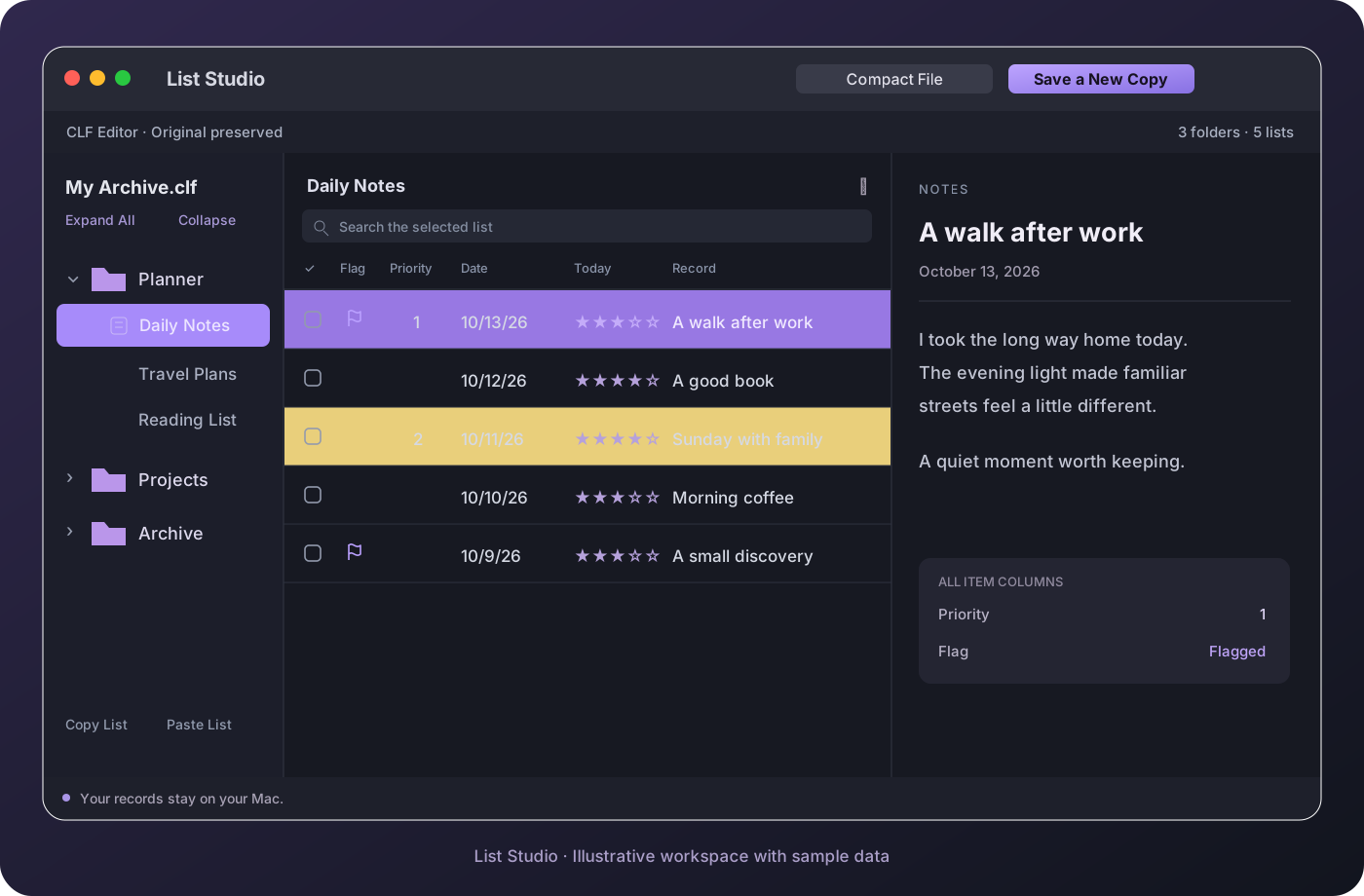
List Studio workspace illustration with an archive outline, record columns and notes
Illustrative workspace · Sample data.
Your own archive stays on your device.

Keep the details that matter

From a single list to years of records.

Familiar structure

Browse folders, lists and nested items. See checkboxes, flags, priority, dates and custom columns together.

A workspace for your archive

Open several files in separate windows. Copy complete lists between files with their columns and item hierarchy.

Make room with Compact File

Remove unused storage blocks without changing active records. Save the result as a separate CLF file.

Three simple steps

Continue your archive on Mac.

01 / OPEN

Bring your CLF file

Install the app, then open a backup exported from ListPro. No account is required.

02 / ORGANIZE

Read, search and edit

Follow the original outline, find entries, update fields or split lists into separate files.

03 / SAVE

Keep the original

Save a new copy. Test importing it into iPhone ListPro before replacing your working archive.

One tool. The same MFLab care.

Native controls, local file processing, clear version information and App Store updates. A focused companion to your existing records.

Setup and troubleshooting →
List Studio is an independent compatibility tool. ListPro is a trademark of Ilium Software. List Studio is not developed, endorsed or sponsored by Ilium Software. This preview has not been validated on an actual iPhone; follow the import test guide before using edited files there.

Latest updates

  • Open new and edited items directly in the full-screen editor on iPad, and add Previous/Next item controls with position indicators in the item detail view.
  • Keep protected documents open during brief app switches on iPhone and iPad, restore full-screen item editors after unlocking, and refine Sort, File Actions, and bottom-bar menu organization.
  • Add the local list analysis window and bundled Korean noun analyzer to the Mac App Store app, and unify List Studio distribution across iPhone, iPad, and Mac through the App Store and TestFlight.
  • Preserve ListPro wall-clock dates across time zones when reading, editing, analyzing, and exporting items, and display Priority column values as numbers only in row summaries.
  • Honor saved ListPro two-line row layouts in list views, preserve selection across batch actions on items without IDs, and add an option to assign missing unique item IDs.
Changelog →